Seller countries: MK, AL, RS, BA
Kordiva accepts initial merchant applications from North Macedonia (MK), Albania (AL), Serbia (RS), and Bosnia and Herzegovina (BA). Both legal seller models require review.
Application support by seller model
Section titled “Application support by seller model”| Seller country | Business Commerce | Individual MoR |
|---|---|---|
| North Macedonia (MK) | Company / sole trader application | Natural-person application |
| Albania (AL) | Company / sole trader application | Natural-person application |
| Serbia (RS) | Company / sole trader application | Natural-person application |
| Bosnia and Herzegovina (BA) | Company / sole trader application | Natural-person application |
All eight application paths require review. Business approval covers the reviewed business activity; Individual approval covers eligible one-time digital goods/services only. Neither grants automatic LIVE payment access. The account-specific evidence below must be checked separately.
Identifiers and payment verification
Section titled “Identifiers and payment verification”| Country | Business identifiers in the implemented form | Individual recipient-only Express evidence |
|---|---|---|
| MK | Registration number (EMBS), Tax number (EDB); separate VAT number when VAT-registered | Recipient-only architecture confirmed: Stripe reply, Oct 9; Express custody and platform payout control confirmed Oct 12. Each account and LIVE activation still require verification |
| AL | Business / tax ID (NUIS / NIPT); no duplicate registration-number field; VAT / TVSH status | Express individual accounts supported: Stripe reply, Oct 11–12. Recipient/transfers configuration, currency, method, minimum and LIVE activation still require country/account confirmation |
| RS | Company registration number (Matični broj), Tax ID (PIB); VAT / PDV status uses PIB | Express individual accounts supported: Stripe reply, Oct 11–12. Recipient/transfers configuration, currency, method, minimum and LIVE activation still require country/account confirmation |
| BA | Company registration number (MBS), Tax ID (JIB); separate VAT / PDV identifier (UIO) when applicable | Express individual accounts supported: Stripe reply, Oct 11–12. Recipient/transfers configuration, currency, method, minimum and LIVE activation still require country/account confirmation |
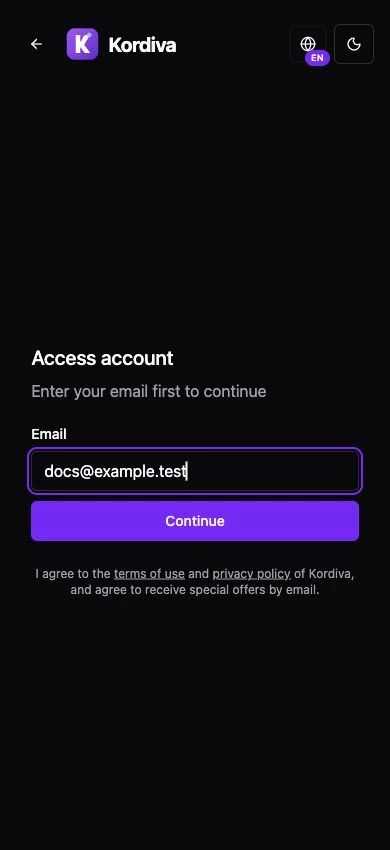
Application → verification → activation
Section titled “Application → verification → activation”- Open Apply for access on the Kordiva website and enter your email. Continue checks how to proceed; it does not approve access.
- Select the legal seller country and registration type. Provide contact name, selling description and the requested application information.
- After approval, follow onboarding. Business profiles use local identifiers above. Individual applicants provide their personal application profile, not Business registration or UJP fields.
- Complete the hosted payment requirements for the selected country. Identity, service agreement, transfers capability, payout controls and supported bank/settlement currency require account-specific confirmation.
- Check TEST and LIVE separately. A country in the application selector does not prove LIVE transfers, bank payouts or buyer-market coverage.
AL, RS and BA use English application/CMS guidance independently of Macedonian content. Language and currency do not determine seller country; the approved application does.
Common problems
Section titled “Common problems”- Country mismatch: ask support to review the approved application; do not choose MK as a workaround.
- Macedonian fields shown for a non-MK Business: stop and report the country/profile mismatch. AL, RS and BA do not need UJP identifiers.
- Payment onboarding unavailable: check application completeness, selected plan and the separate country/account approval. Do not infer provider availability from a successful TEST.
Related guides
Section titled “Related guides”Application and verification · Buyer markets and tax status · TEST vs LIVE