Customer Subscriptions
This guide covers Business Commerce. For Individual MoR, use the separate guide.
A subscription lets a customer pay periodically for your product or service. In Kordiva it starts from a Checkout Link and is managed from the dedicated subscriptions area.
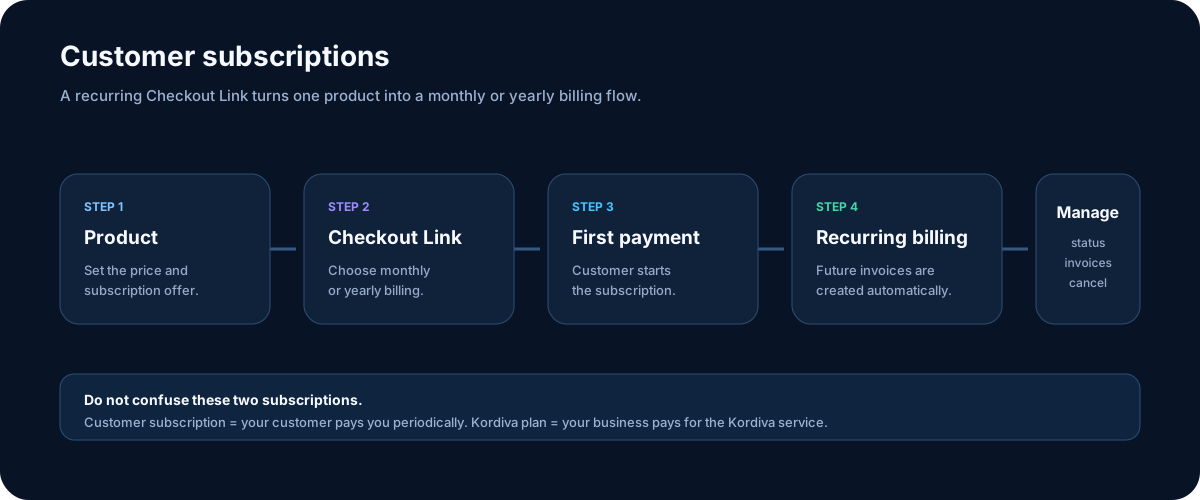
Customer subscription ≠ Kordiva plan
Section titled “Customer subscription ≠ Kordiva plan”Customer subscription
Your customer pays periodically for your product or service.
Kordiva plan
Your organization pays for using Kordiva. This is completely separate billing.
How to create a subscription
Section titled “How to create a subscription”- Create the product — The product should have the correct price and tax settings.
- Create a recurring Checkout Link — Choose monthly or yearly billing and the required interval.
- Share the link — The customer starts the subscription through Stripe-hosted checkout.
- Manage the subscription — Status, billing period, next charge, and paid invoices are available in the merchant dashboard.
Supported billing periods
Section titled “Supported billing periods”A supported Business subscription Checkout Link:
-
uses one digital product;
-
can bill monthly or yearly;
-
can use an interval from 1 to 12 months or years, according to the selected setting;
-
is connected to an existing product;
-
uses Stripe-hosted checkout.
What you see in the dashboard
Section titled “What you see in the dashboard”You can view:
- product;
- customer;
- status;
- linked Checkout Link;
- net, tax, and total amount;
- billing period;
- start date;
- current period;
- next billing date;
- latest paid invoice.
Statuses
Section titled “Statuses”Common statuses include:
- active — the subscription is running;
- past due — the current recurring payment did not complete successfully;
- canceled — no new recurring billing will continue.
Cancellation
Section titled “Cancellation”An active subscription can be scheduled to end at the end of the already-paid period. The customer keeps access for the paid period and automatic billing then stops.